OChK Security Compass
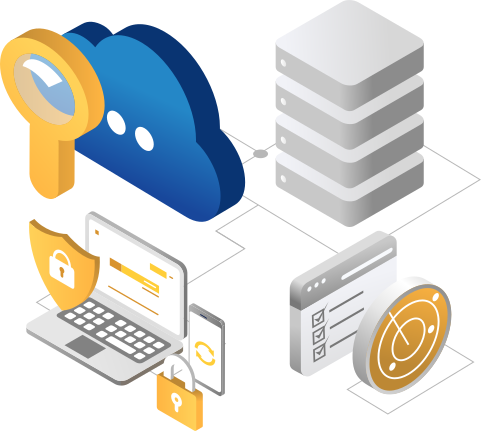
Free tool for comprehensive cloud configuration security assessment
Check if the key security areas of your Google and Microsoft cloud environment are properly configured. Discover vulnerabilities before they translate into the risk of data loss, incident costs, or regulatory penalties.
What is OChK Security Compass?
OChK Security Compass is a free, proprietary OChK tool used to verify the security of the configuration of key areas of your cloud environment. These areas include, among others: identity and access, data protection, network security, threat detection, management, and compliance. Thanks to this tool, you can not only immediately and independently identify configuration errors but also learn how to eliminate them—step by step.
The tool supports public clouds and services: Google Cloud, Google Workspace, Microsoft Azure, and Microsoft 365.




Recognized standards and best market practices
OChK Security Compass is based on leading cybersecurity risk management standards and best market practices. This ensures that the assessment and recommendations for your environment's configuration comply with the best patterns.
Security and privacy without compromise
Protecting your data is our priority, which is why we apply the highest market security standards. This gives you confidence that all the information you provide in your responses is encrypted both at rest and in transit.
Why OChK Security Compass?
Full picture of hidden risks
OChK Security Compass allows for an independent, comprehensive, and detailed assessment of your cloud environment's security configuration. By covering all key areas, you get a full picture of hidden risks.
The awareness of where vulnerabilities exist translates directly into minimizing the risk of a potential cyberattack or an uncontrolled data leak.
You verify whether your environment is configured in compliance with regulations (e.g., whether data is outside the EEA region), which directly reduces the risk of regulatory penalties and translates into financial savings.
You gain visibility into key areas, eliminating unauthorized configurations (shadow IT).
Immediate result
You receive a report on the overall security assessment of your cloud environment's configuration and detected vulnerabilities immediately after completing the questionnaire.
You don't waste time on complicated and time-consuming integrations. Fast diagnosis is your advantage, allowing you to immediately decide on the next steps to minimize threats, including a cyberattack.
Being aware of configuration vulnerabilities allows you to avoid costly mistakes and unplanned operational expenses related, for example, to subsequent incidents.
The OChK Security Compass report is a structured assessment of your cloud environment's security configuration. This means it can serve as a ready-made aid in preparing for internal and external audits.
It also supports collaboration within your organization—you can easily co-create the questionnaire with other employees and share the results directly in the panel.

Expert support from OChK
Our experts are available to provide support, helping you not only properly interpret the report but also advising on what actions to implement step-by-step to eliminate key threats and optimize areas that raise doubts.
How to get a security report from OChK Security Compass?
01
Registration and environment selection
Register in the OChK Security Compass panel, select the cloud environment (Google Cloud, Google Workspace, Microsoft Azure, Microsoft 365) and the security areas you want to assess.
03
Immediate report on identified security vulnerabilities
Review the report—check the strengths of your environment's configuration, areas for improvement, and key threats. The report will be available directly in the panel immediately after filling out the questionnaire; you can also download it as a PDF.
02
Questionnaire
Answer the questions in the questionnaire, according to the current security configuration status of your cloud environment.
04
Recommendations for further actions
Contact our experts to discuss the results and create a full remedial/improvement plan with recommendations for specific, step-by-step actions. Mutual cooperation in this area will allow you to set priorities, implement necessary changes, and effectively improve areas that raise doubts.
01
Registration and environment selection
Register in the OChK Security Compass panel, select the cloud environment (Google Cloud, Google Workspace, Microsoft Azure, Microsoft 365) and the security areas you want to assess.
02
Questionnaire
Answer the questions in the questionnaire, according to the current security configuration status of your cloud environment.
03
Immediate report on identified security vulnerabilities
Review the report—check the strengths of your environment's configuration, areas for improvement, and key threats. The report will be available directly in the panel immediately after filling out the questionnaire; you can also download it as a PDF.
04
Recommendations for further actions
Contact our experts to discuss the results and create a full remedial/improvement plan with recommendations for specific, step-by-step actions. Mutual cooperation in this area will allow you to set priorities, implement necessary changes, and effectively improve areas that raise doubts.